- ⚠️ 注意事項
- ・ アイテムを購入するにはGCoinの購入が必要です。
- ・ JEWELを購入後、GCoinを購入してゲーム内アイテムを購入できます。
- ・ 保有しているJEWELが不足している場合、購入後ご利用いただけます。
- ・ アイテムの購入はゲーム内でのみ可能で、ゲーム内のすべてのサーバーでご使用いただけます。
- [返金不可ポリシー]
- - 当該商品は購入撤回が不可能な商品です。
最新情報
- ホーム
- 最新情報
- サポート

Chaos W
忘れ去られた世界の謎を解き明かす、壮大なMMORPGの冒険が今、あなたを待っています。
- #MMORPG
Game Guide
[GAME GUIDE] 📃.【Guild】
【Guild】

◆
◆
[UI Info]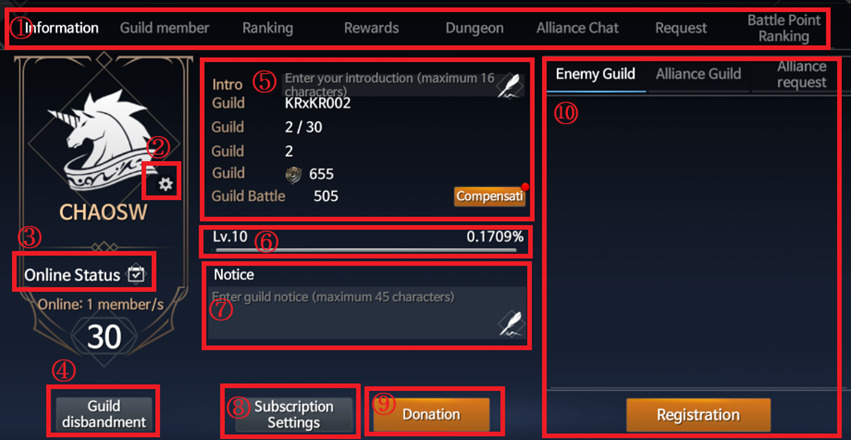
[Explanation] | |||||||||
① | Guild Menu Description | After creating a guild, access the following guild-specific menus: | |||||||
② | Change Guild Emblem | A button to change the guild emblem | |||||||
③ | Attendance Status | A menu to view attendance status | |||||||
④ | Disband Guild | A button to disband the guild | |||||||
⑤ | Guild Information | General guild information | |||||||
⑥ | Guild Level | A UI to check the guild level | |||||||
⑦ | Guild Announcements | A guild notice registration window | |||||||
⑧ | Membership Settings | A button to set the membership method (immediate or approved) | |||||||
⑨ | Donations | A button to donate to increase the guild level (three times a day) | |||||||
⑩ | Register as Enemy/Alliance | A button to register enemies/allies | |||||||
[Guild Menu Description]
[Explanation] | |||||||||
① | Information | A menu for checking guild information. | |||||||
*Access general guild information and the guild menu. | |||||||||
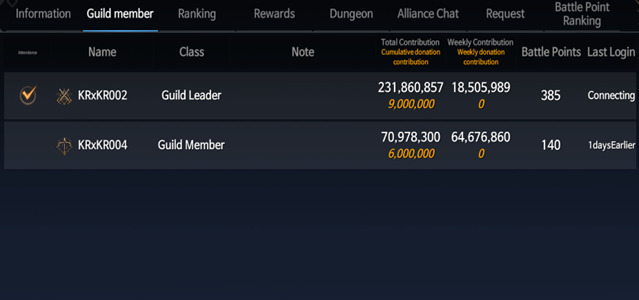
② | Guild member | A menu for checking guild members. | |||||||
*Guild members can withdraw, organize, and change classes. | |||||||||
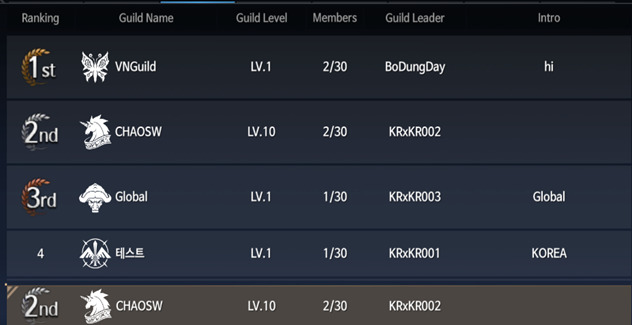
③ | Ranking | A menu for checking guild rankings. | |||||||
*Check guild rankings, and only the top 6 guilds can participate in sieges. | |||||||||
④ | Rewards | A menu for checking buffs granted based on guild level. | |||||||
*Guild buffs are automatically applied based on guild level, and guilds can level up to level 15. | |||||||||
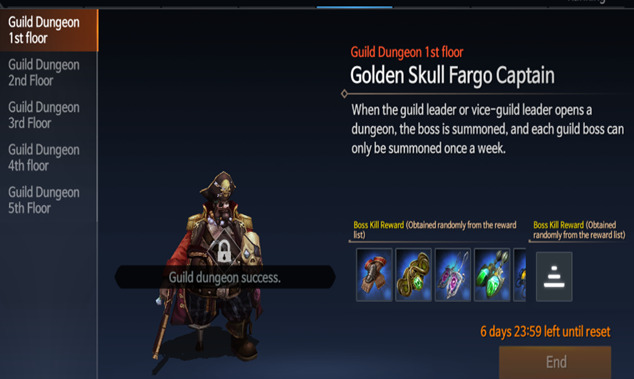
⑤ | Dungeon | A menu for conducting guild dungeons. | |||||||
*Successfully defeating bosses in guild dungeons rewards you with a large number of items. | |||||||||
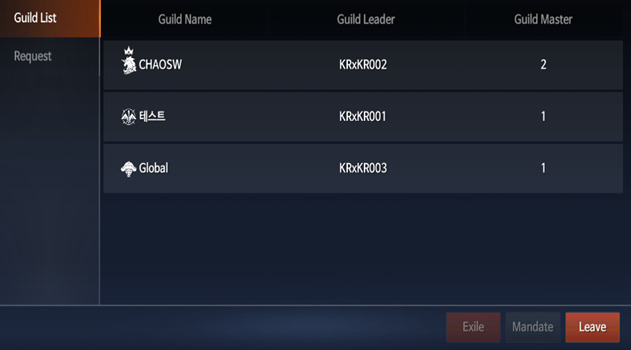
⑥ | Alliance Chat | A menu for checking alliance chat rooms. | |||||||
*Chat with guild members using the standard chat feature. | |||||||||
⑦ | Request | A menu for checking guild membership history. | |||||||
*Approve/reject users who wish to join the guild. | |||||||||
⑧ | Battle Point Ranking | A menu for checking battle point rankings. | |||||||
*Check battle point history and siege participation status. | |||||||||
[Menu UI]
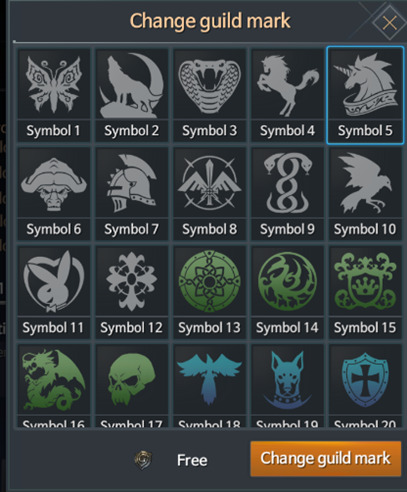
[Change Guild Emblem]
◆ Menu to change the Guild Emblem
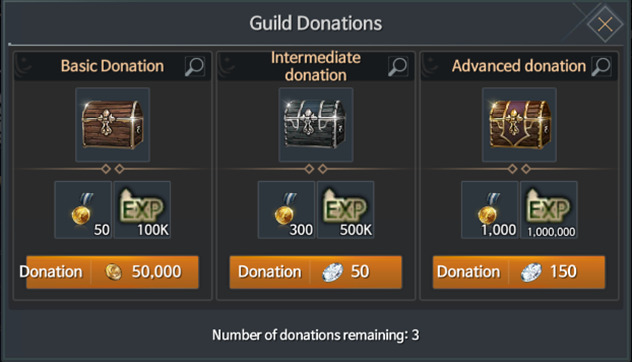
[Donations]
◆ Guild Donation Menu; donating increases Guild Experience.
[Guild member]
◆ Menu to check Guild members
[Ranking]
◆ Menu to check the current Guild Ranking
* Only the top 6 guilds can participate in Siege Wars.
[Dungeon]
◆ Guild Dungeon Creation Menu
* A Guild Dungeon must be played at least once to be registered in the Guild Ranking.
[Alliance Chat]
◆ Menu to chat with allied guilds via Alliance Chat
◆
◆

© VALOFE Co., Ltd. All rights reserved. © Neoact Co., Ltd. All rights reserved.
GCoin 購入
GCoin購入が
完了しました。
完了しました。
購入日
JEWEL
購入前 GCoin 残高
購入後 GCoin 残高








-
-
제명 Chaos W 상호 (주)밸로프 이용등급 12세 이용가 등급분류번호 GC-CC-NP-250321-002 등급분류 일자 2025-03-21 제작배급업신고번호 제 2017-000007호



読み込み中...