- ⚠️ 注意事項
- ・ アイテムを購入するにはGCoinの購入が必要です。
- ・ JEWELを購入後、GCoinを購入してゲーム内アイテムを購入できます。
- ・ 保有しているJEWELが不足している場合、購入後ご利用いただけます。
- ・ アイテムの購入はゲーム内でのみ可能で、ゲーム内のすべてのサーバーでご使用いただけます。
- [返金不可ポリシー]
- - 当該商品は購入撤回が不可能な商品です。
最新情報
- ホーム
- 最新情報
- サポート

Chaos W
忘れ去られた世界の謎を解き明かす、壮大なMMORPGの冒険が今、あなたを待っています。
- #MMORPG
Game Guide
[GAME GUIDE] 📃.【Trade】
【Trade】

※Trades are only possible with users on the same server.
◆
◆
*Chaos W offers two trading methods
①. 1:1 trading between users [Trade 1:1]
②. Free trading with an unspecified number of people [Trade Market]
◆ [Trade 1:1] Trading Method
*Available from Level 30.
1. Select the Trade 1:1 menu.
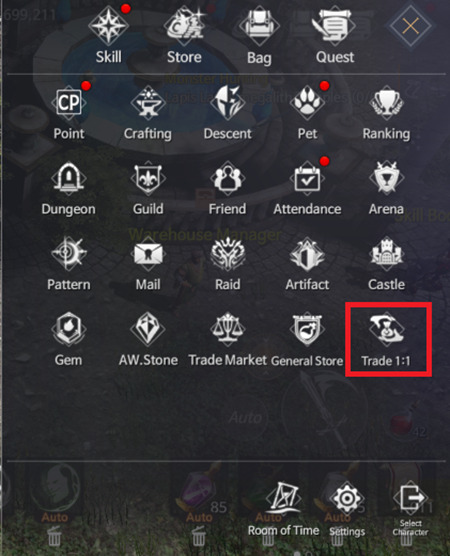
2. Select the Trade 1:1 menu.
3. Select the product to sell and click [Sell].
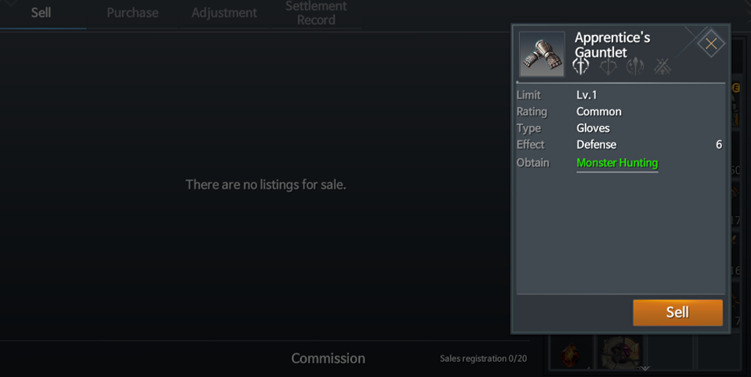
4. Register sales information and price
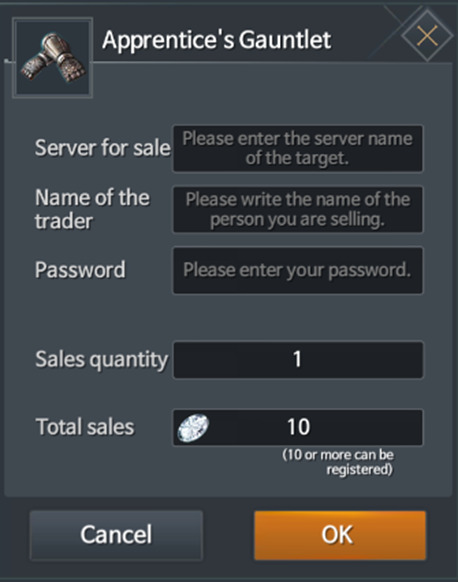
Server for sale | Register your current server name (transactions can only be made on your current server) | ||||
Name of the trader | Buyer's character name | ||||
Password | Transaction password | ||||
5. Notify the buyer after registering the sale.
6. After the buyer makes a purchase, receive the diamonds in the transaction results window 5% commission).
◆
◆

◆
◆
◆ [Trade Market] How to Trade
*Available from Level 30.
1. Select the Trade Market menu.
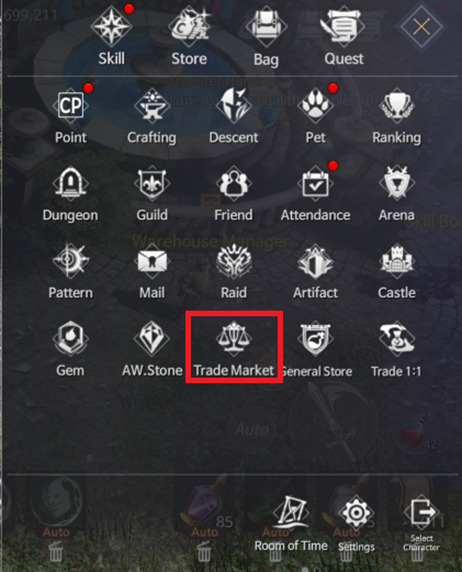
2. When purchasing, select the Purchase tab to purchase the item.
3. When selling, select the Sell tab.
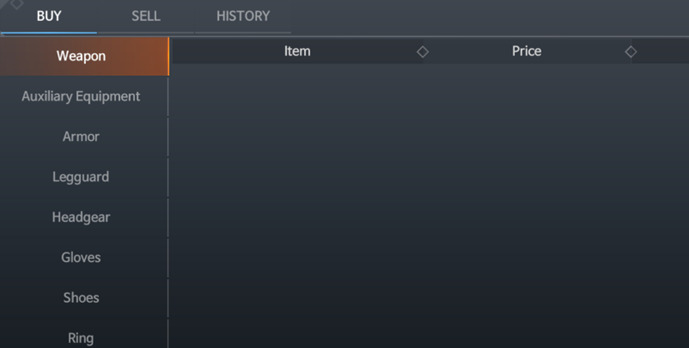
4. Select an item for sale, set a price, and then register.
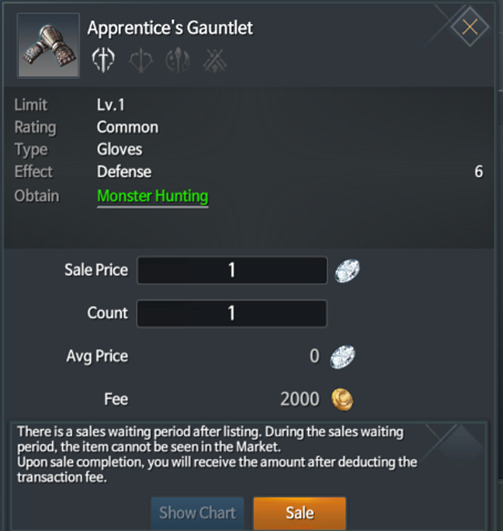
5. The registered item will be displayed after 5 minutes.
6. When an item is sold, the proceeds are settled in Diamonds, minus a 5% commission.
◆
◆
GCoin 購入
GCoin購入が
完了しました。
完了しました。
購入日
JEWEL
購入前 GCoin 残高
購入後 GCoin 残高








-
-
제명 Chaos W 상호 (주)밸로프 이용등급 12세 이용가 등급분류번호 GC-CC-NP-250321-002 등급분류 일자 2025-03-21 제작배급업신고번호 제 2017-000007호



読み込み中...